Do I need to read music?
No. The first time you open a piece, choose how to see it: falling notes on a piano keyboard, note names, sol-fa, a guitar fretboard or the score. Playpage plays it while the notes move with the music, and you can switch any time. With Playpage Plus, slow it down and loop the bars you keep missing until you can play or sing along.
Does it work for choirs?
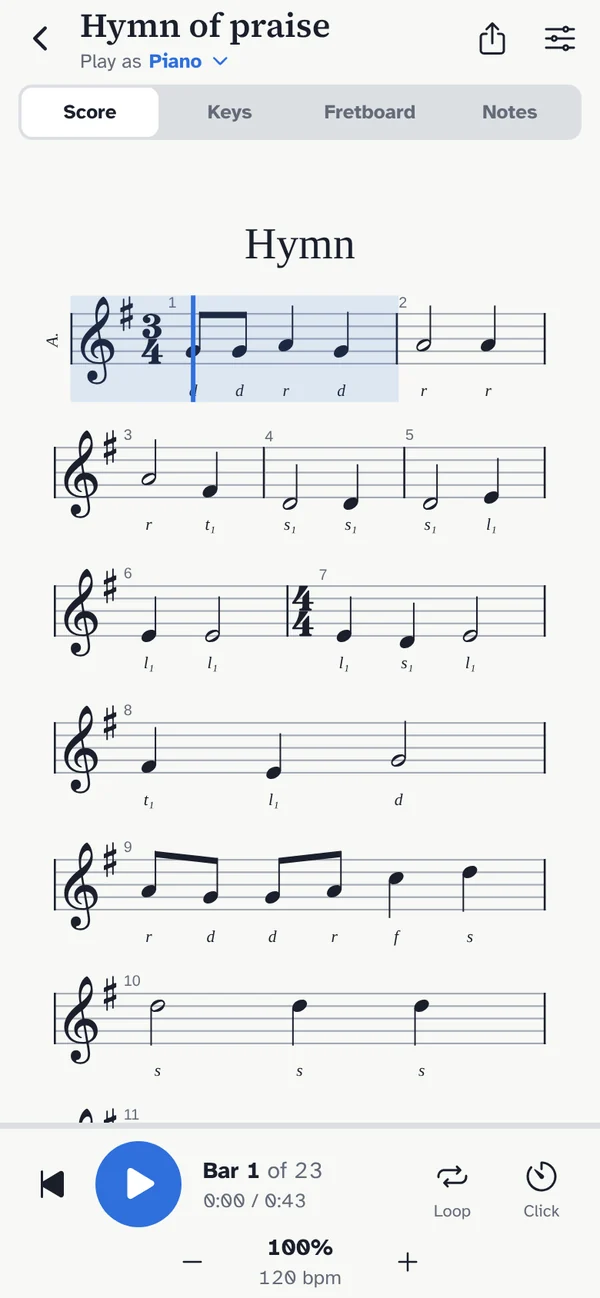
Yes. Open a hymn or choir score written on two staves, with soprano and alto on the top staff and tenor and bass below, and pick your part. Playpage reads the parts whether they’re printed as separate lines or squeezed into chords, which is how most scans come out. Learning your part comes with Playpage Plus.
I just want to play it on the piano. Does it help?
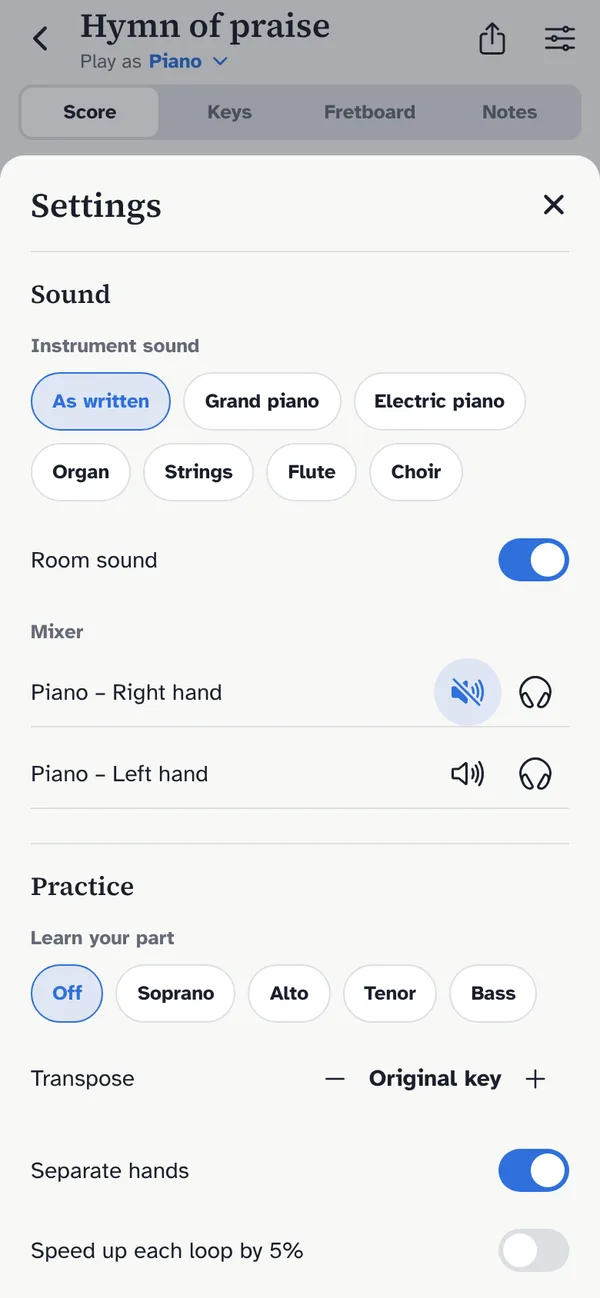
Yes. Photograph the page and Playpage plays it back, with notation and a moving cursor, or falling notes with each hand in its own colour. With Playpage Plus, split the hands, mute the one you’re learning while Playpage plays the other, slow it down without changing the pitch, and loop a tricky bar until it’s under your fingers. The speed trainer then brings it back up to tempo, a little faster each time through.
Is there anything it can’t read?
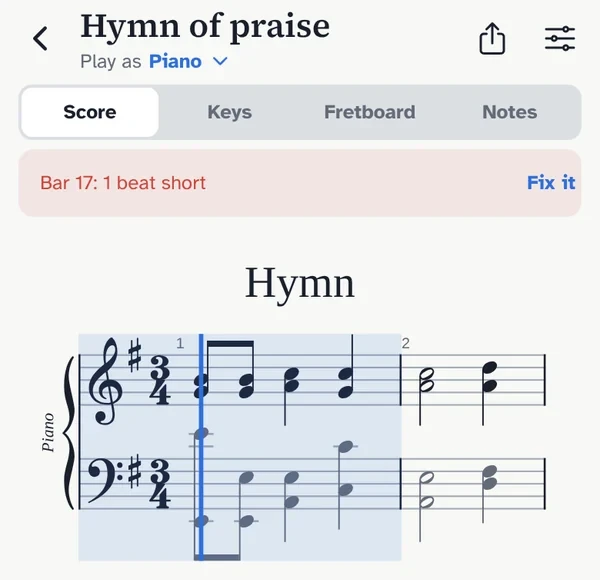
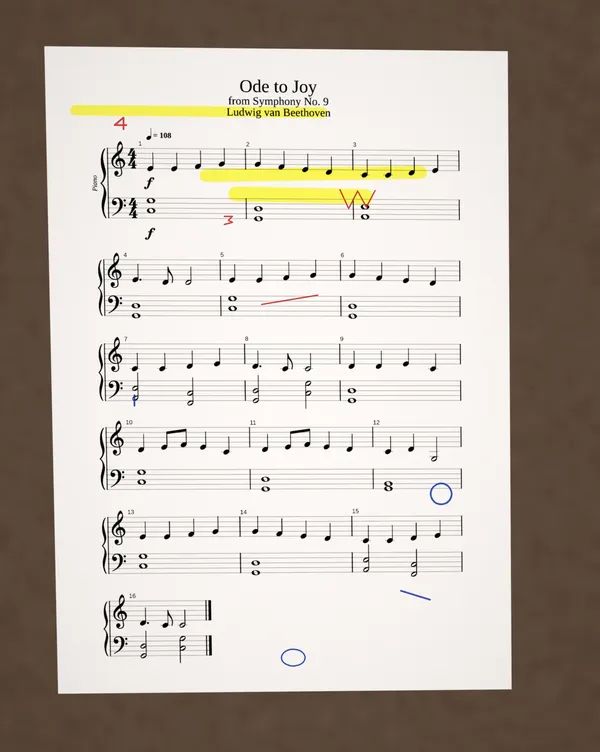
Printed music it reads, including worn, photocopied and marked-up pages, though a worn page usually needs a few notes fixed. Handwritten music isn’t read yet. Pencil written right over the notes can be mistaken for notes, so check those bars; Playpage marks any bar that doesn’t add up.
Which sol-fa does it use?
Tonic sol-fa with a moving d: d is the home note of the key, so a piece in G starts its scale on G. Minor keys are read from l, with the raised seventh as se, as sol-fa sheets write them. Octave marks follow hymn books (d′ above, d₁ below), and men’s parts are written an octave up, so a bass reads d, s₁, d₁. If you learnt fixed Do Re Mi, where Do is always C, that’s an option too.
Someone sent me a Playpage score. How do I open it?
Tap the file in WhatsApp, Mail or Files and choose Playpage. If your phone doesn’t offer Playpage, save the file, then use Open a file in your library. It opens with the sender’s corrections, and opening it is free.
What else can it do?
Notation with playback and a moving cursor for any part, falling notes for piano, and tab for guitar, 7-string, bass (4 or 5 string), ukulele and mandolin, with your choice of tuning and capo. Besides photos, it opens PDF, MusicXML, MIDI and Guitar Pro files. Export plain-text tab for free, or audio, MIDI and Guitar Pro with Playpage Plus.
Do I need to be online?
Only to scan a photo, which is read on our server. Opening files, playback, your part, sol-fa, the practice tools, sending scores and exports all work offline on your phone.
What happens to a page I photograph?
It’s sent to our server only to read the notes, then deleted as soon as the scan finishes. It isn’t stored or shared. A score you send goes straight from your phone to the app you choose; it doesn’t pass through us. See the privacy policy.
How much does it cost?
Playpage is free to download, with no adverts. Opening files, notation, tab, sol-fa, playback, fixing notes and sending scores are free, and you can scan 10 pages to try it. Playpage Plus adds learning your part and the practice tools (slow down, loop, speed trainer, transpose, separate hands, mixer), 200 scanned pages a month and audio, MIDI and Guitar Pro exports for £4.99 a month or £39.99 a year, with a 7-day free trial. Cancel any time in your App Store or Google Play settings.

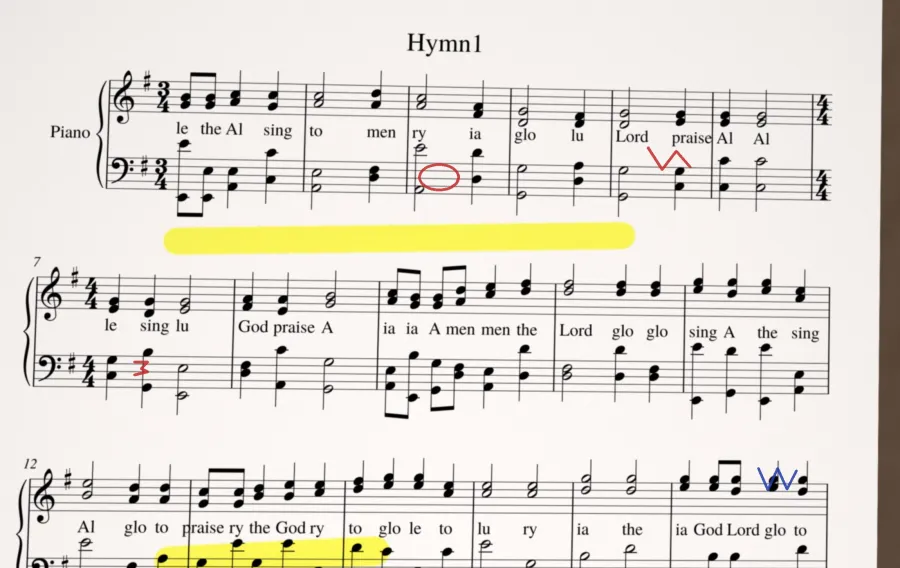 The photo
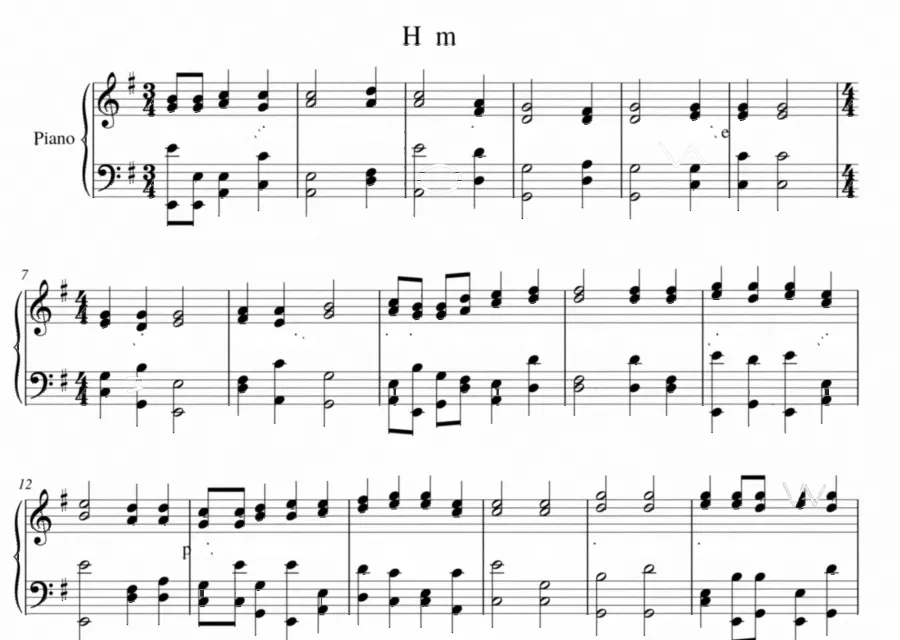 What Playpage reads